Indian companies that send material to projects and sites, or import and export goods: construction, manufacturing and trading businesses, with dispatch, logistics and accounts staff working from one list.
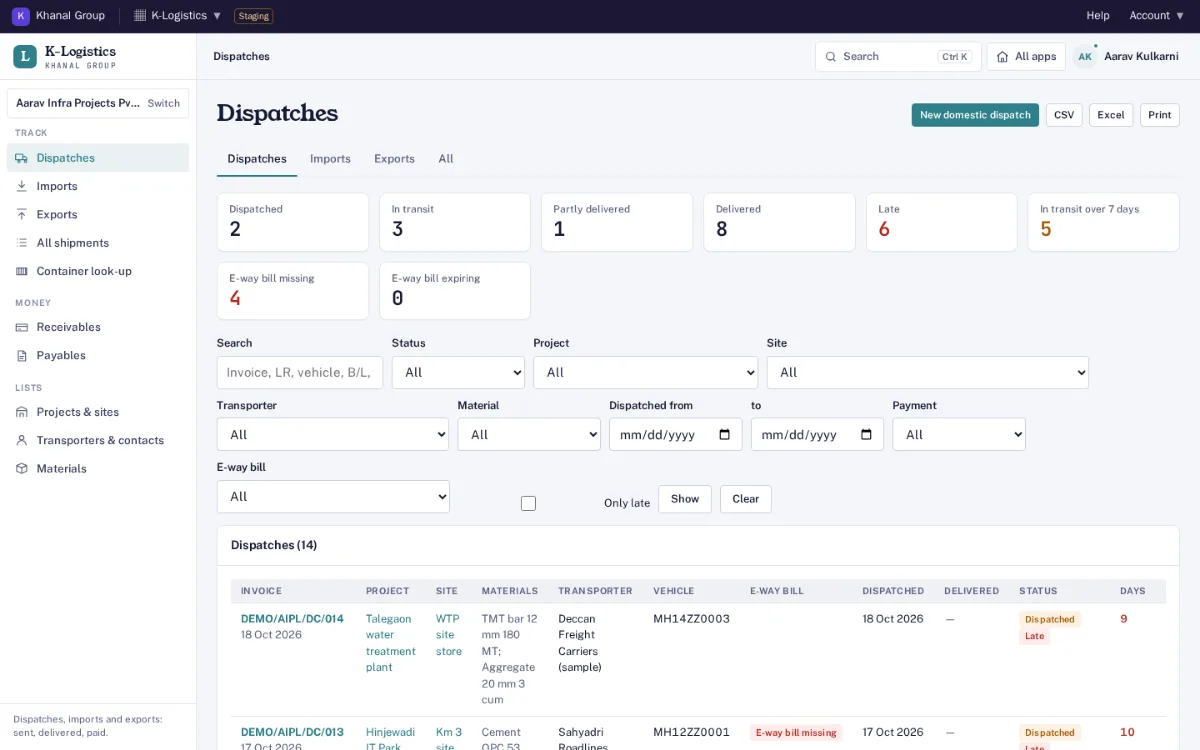
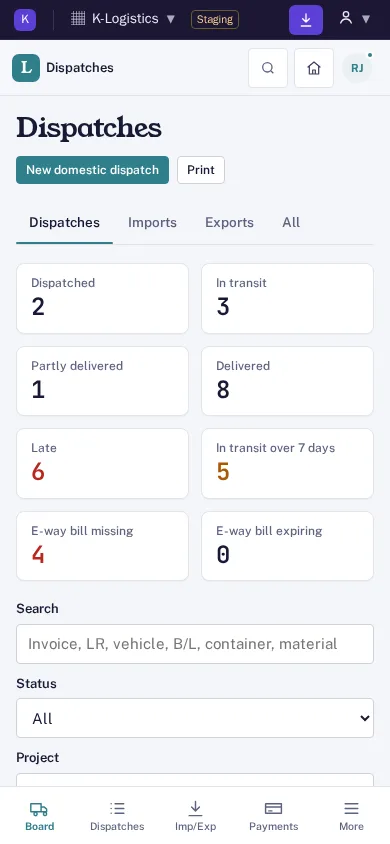
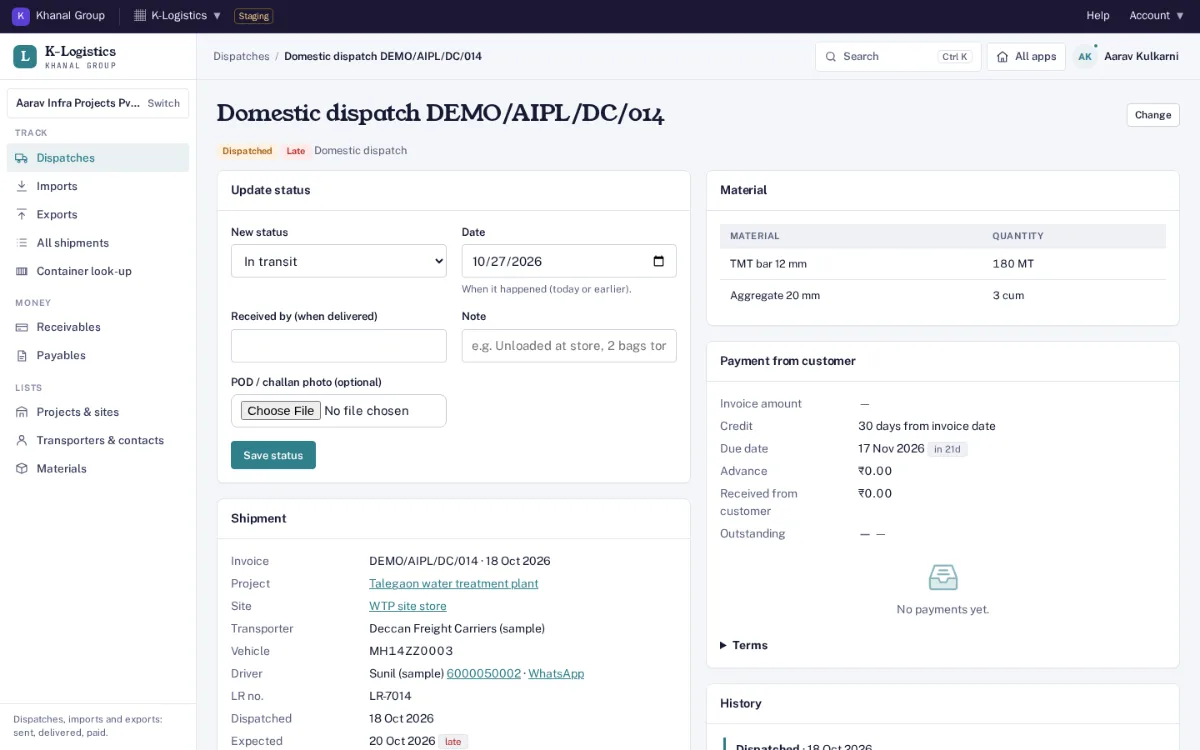
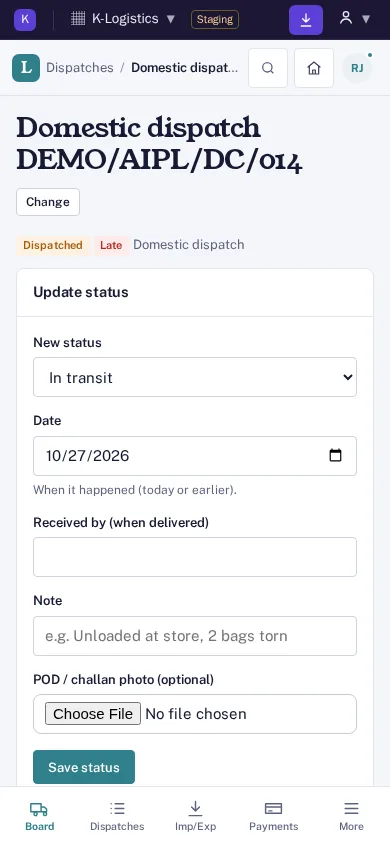
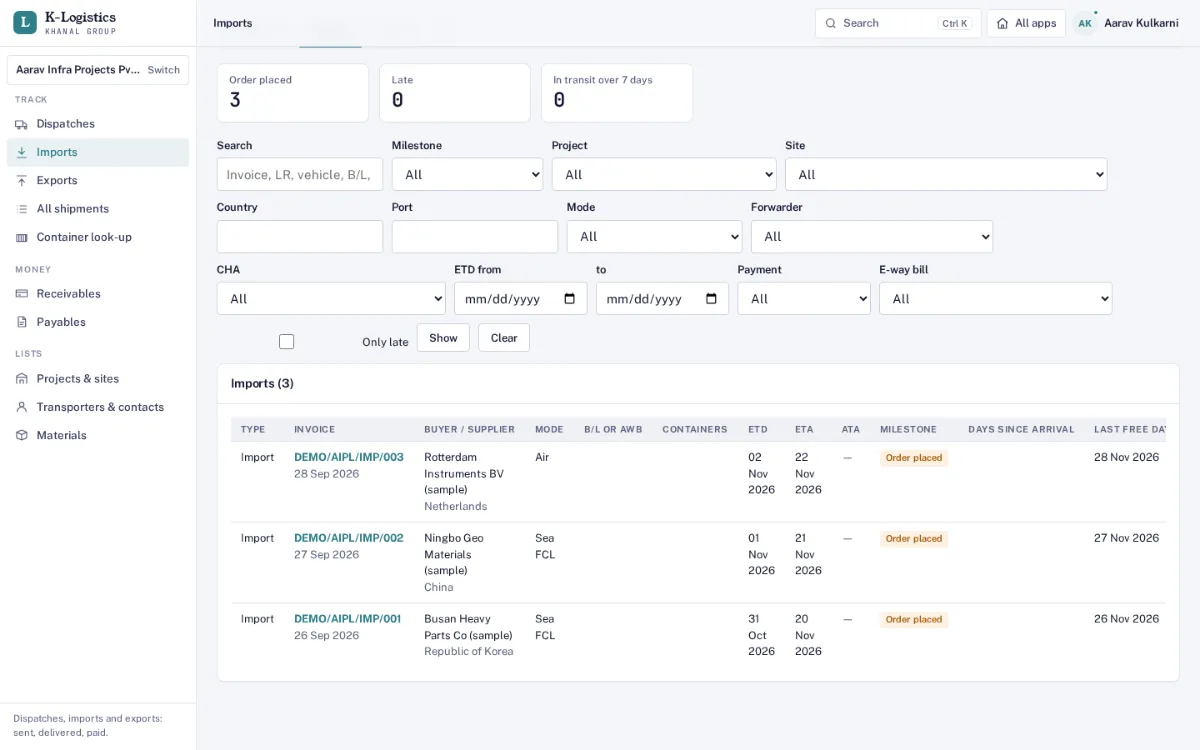
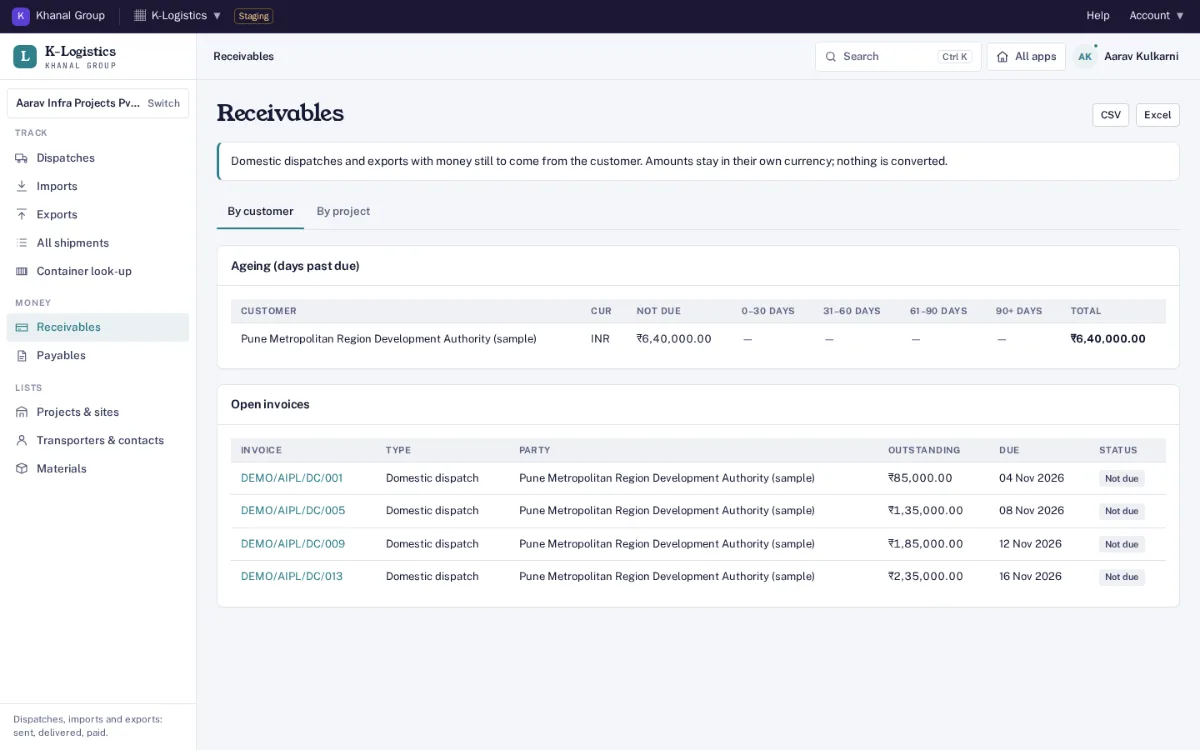
Screens from Aarav Infra Projects, one of our demo companies, on our staging server. Every name, number and email address in them is made up.
Dispatches by invoice
One record per invoice: invoice number and date, project and site, material lines with quantity and unit, transporter, vehicle number, driver, LR number, dispatch date and expected delivery. A number already recorded is refused, with a link to it.
Status with history
Dispatched, in transit, delivered or partly delivered, returned or cancelled. Delivered takes the date, who received it and a photo of the signed challan. Every change is kept with who made it and when.
Late shipments
A dispatch past its expected date and not delivered, or an import or export past its ETA with no arrival, is shown in red and counted at the top of the list.
Imports and exports
Commercial invoice, supplier or buyer with country, Incoterm, mode (sea FCL or LCL, air, road or rail, courier), ports, carrier, vessel or flight, B/L or AWB, freight forwarder and customs broker (CHA), ETD, ATD, ETA and ATA.
Customs dates
Imports: Bill of Entry number and date, duty paid, out of charge, delivery order. Exports: hand-over, Shipping Bill number and date, assessment and LEO. Milestones move forward only; setting one fills its date when it is empty.
Containers
Number, size and seal. The number is checked against its ISO 6346 check digit; a number that fails is refused unless you tick "correct as typed". Find any container by its number or part of it.
Last free day and demurrage
Arrival (ATA, else ETA) plus free days at port, with the arrival day counted as day 1. Demurrage starts the day after, and the alert email warns two days ahead if the cargo is not out of charge.
Document checklist
Tick the commercial invoice, packing list, B/L or AWB, certificate of origin, insurance and test certificates as received or sent, and attach each file.
Credit days and payments
Invoice amount and currency, credit days from the invoice, delivery, B/L or arrival date, an advance and each payment with its UTR. The due date, outstanding and status (not due, due soon, overdue, part paid, paid) are worked out.
Receivables and payables ageing
What is outstanding by customer, supplier or project in columns for not due, 0–30, 31–60, 61–90 and over 90 days past due. Amounts stay in their own currency and are never converted.
MSME 45-day flag
Mark a supplier as MSME. An import still unpaid more than 45 days after delivery is flagged (MSMED Act s.15; check your agreement), and credit terms above 45 days give a warning.
Daily alert email
One email a day to admins and managers: late dispatches, ETAs in the next 3 days, arrivals with no Bill of Entry, last free day close, departures and arrivals running late, payments due and overdue, and MSME suppliers past 45 days.
Lists, filters and downloads
Dispatches, imports, exports and all records as tabs of one list. Filter by project, site, transporter, material, status, dates or payment status; CSV, Excel and print follow the filters.
Roles and audit trail
Organisation admin, manager, dispatcher, accounts and viewer. Accounts handle payment terms and payments but not shipment details. Every change is written to an audit log linked as a hash chain.
Sends to K-Finance
Once linked, each record with an invoice amount goes to K-Finance every 15 minutes as a sales invoice or purchase bill, and each payment as a receipt or payment, into its review queue. Nothing reaches the books until a person there accepts it.
What it does not do
No GPS tracking, no SMS or WhatsApp messages and no e-way bill generation: K-Logistics is not connected to any GPS, messaging or GST portal provider. Status is updated by your team, from a phone at site if needed.
Data handling. Each company is a separate organisation; one organisation can never see another's shipments, contacts or payments. Records are kept in a database on Khanal Group servers in India. Files (invoice copies, LRs, signed challans, B/Ls) are kept only in your organisation's own Google Drive or OneDrive, in the folder 08 - K-Logistics, through
connected storage; until it is connected, uploads are refused. Photo metadata is removed on upload.
Both plans have dispatches, imports and exports, containers and customs dates, credit days and receivables and payables ageing. Nothing is sold on top of a plan. Founding price with the code FOUNDING26 for the first 12 months, for organisations that sign up by 31 March 2027 (first 50 per product); then 75% of list in months 13 to 24, then list. Yearly = 10 × monthly, for 12 months. Prices exclude GST. Trial: 14 days, with 5 team members, 300 shipment records; no card needed. Payments open at launch; start a free trial now. All apps, bundles and the offer: pricing.
Who is it for?
Indian companies that send material to projects and sites, or import and export goods, and want one place to see what went where, on which invoice, when it arrived and what is still to be paid: construction, manufacturing and trading businesses, with dispatch, logistics and accounts staff.
Does it track trucks by GPS or send SMS updates?
No. K-Logistics is not connected to any GPS, SMS or WhatsApp provider. Your team updates the status, from a phone at site if needed, and every change is kept with the date, the person and a note. Email alerts go only to your own admins and managers.
Does it make e-way bills?
No. Make the e-way bill on the government portal as you do now. K-Logistics is not connected to the GST portal or a GST suvidha provider. Type the e-way bill number, validity, distance and Part-B vehicle into the dispatch: it suggests the validity from the distance, flags an e-way bill that is missing, about to expire or on a different vehicle, and keeps Part-B vehicle changes and extensions.
How is the last free day worked out?
From the arrival date (ATA, or ETA until the ship arrives) plus the free days at port, counting the arrival day as day 1. With 0 free days it is the arrival day itself. Demurrage starts the day after, and the daily email warns when the last free day is within 2 days and the cargo is not out of charge.
What if a correct container number fails the check?
Each container number is checked as 4 letters and 7 digits with its ISO 6346 check digit. If a number you know is correct fails, tick "correct as typed": it is saved and shown on the record as not verified.
How are MSME suppliers handled?
Mark the supplier as MSME under Transporters & contacts. An import from that supplier still unpaid more than 45 days after delivery (or arrival) is flagged and listed in the weekly alert, and credit terms above 45 days give a warning (MSMED Act s.15; check your agreement).
Does it post into K-Finance?
When your organisation is linked, an admin or manager pastes a link token from K-Finance under Settings. Every 15 minutes, records with an invoice amount go across as sales invoices (dispatches, exports) or purchase bills (imports), and advances and payments as receipts or payments, into K-Finance’s review queue. Nothing reaches the books until a person there accepts it.
How do I sign in?
With your Khanal ID, the same sign-in used for every Khanal Group app. On a phone, use "Add to home screen" from the browser menu.
How much does it cost?
At the Founding price: Standard ₹749 a month (list ₹1,499), Business ₹1,999 a month (list ₹3,999). Yearly is 10 × monthly. Prices exclude GST. Trial: 14 days, with 5 team members, 300 shipment records; no card needed. After the trial everything stays readable.