Contractors, builders, interior, MEP, solar and road companies that visit a site before quoting or starting work: survey managers who plan and review visits, surveyors and site engineers on the phone, and estimators or quantity surveyors who turn measurements into a BOQ.
Screens from Aarav Infra Projects, one of our demo companies, on our staging server. Every name, number and email address in them is made up.
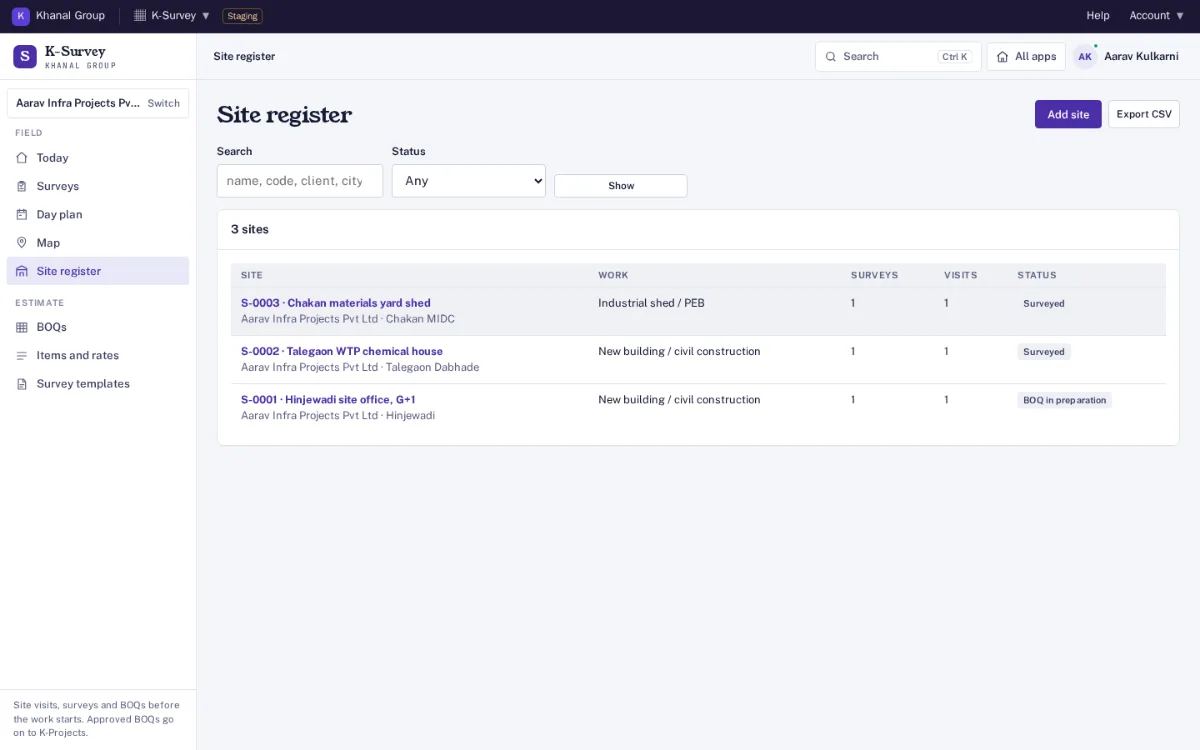
Site register
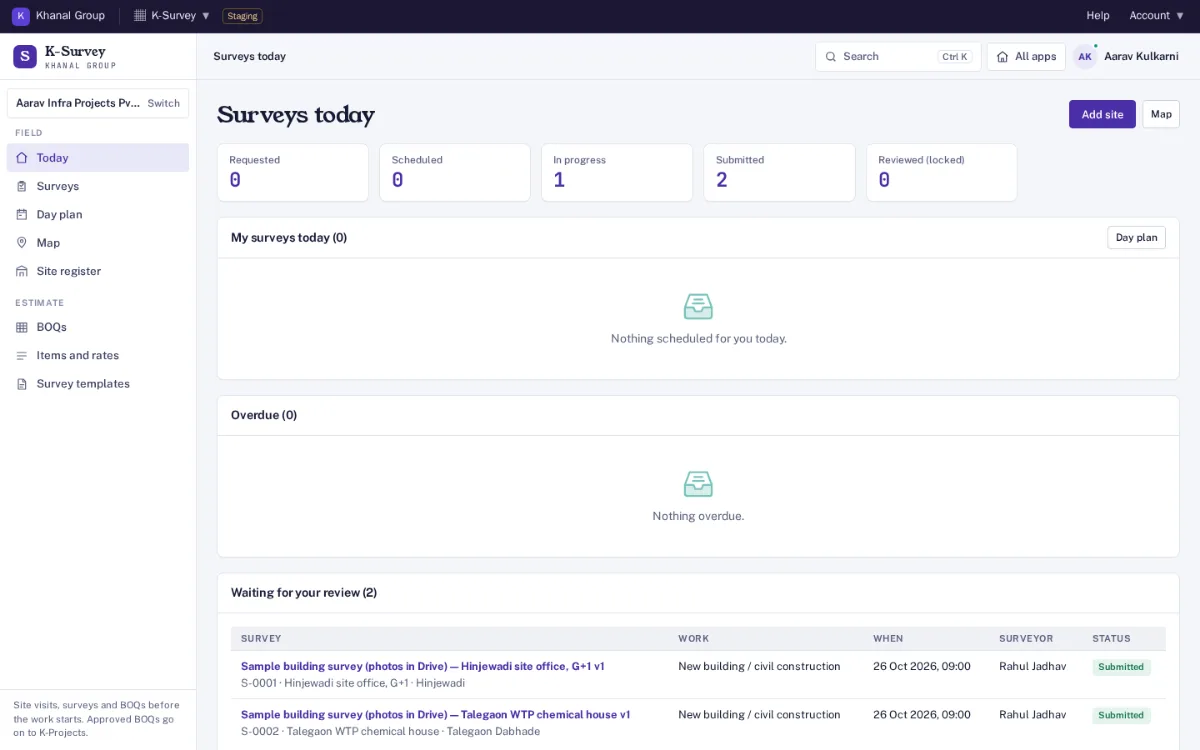
Each site once, with its client, address and map pin. A site keeps every visit, survey, BOQ, document and its pre-execution checklist for later.
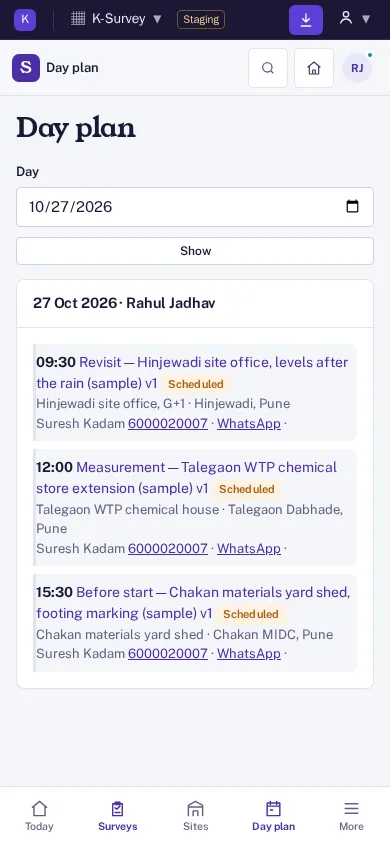
Survey requests and day plan
Request a survey with a template, surveyor, date and site contact. The surveyor gets an email at once and a reminder the day before; the board shows today, overdue and by status, and the day plan lists visits with directions.
On-site checklist
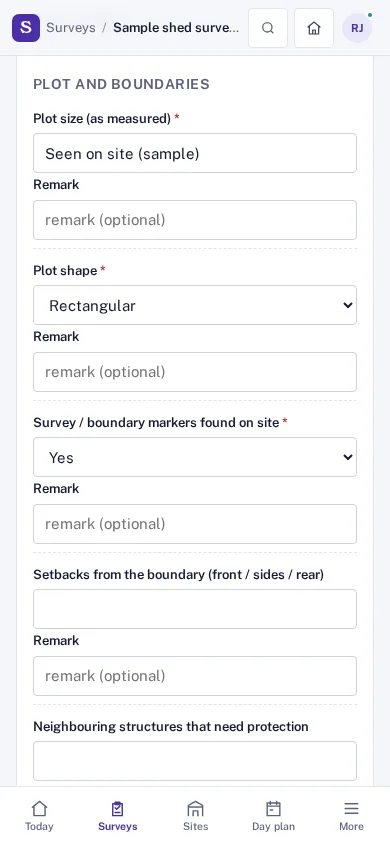
Ten templates ready (building, interiors, renovation, roads, shed or PEB, waterproofing, MEP, solar, boundary, demolition): plot, levels, access for trucks, cranes and pumps, overhead lines, power and water, permissions, hazards and more, each answer with a remark.
GPS check-in and check-out
The position is read only when the surveyor presses the button, stored with its accuracy, and flagged when it is missing, inaccurate or more than 500 m from the site’s pin. It is a deterrent, not proof.
Photos into required angles
Front, each side, access and existing condition slots that must be filled before submit. Photos are resized on the phone and their embedded location data is removed before they are stored.
Measurement sheet
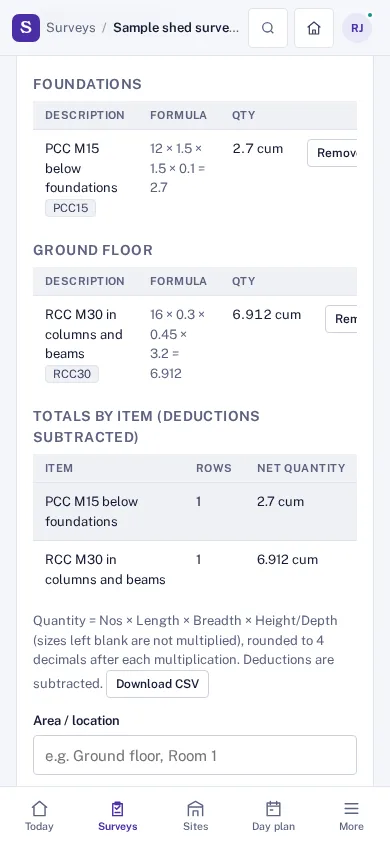
Area, description, item, nos × L × B × H, unit and deductions for openings, with the formula kept for each row and exact totals. CSV in and out.
Observations
Risks with severity, assumptions, exclusions and what the client asked for, kept with the survey and carried into the BOQ notes.
Client acknowledgement
Optional: the client’s name, mobile number, a ticked statement that the visit took place and a signature on the phone. It confirms the visit, not a price.
Works without network
Open the survey before you leave. Whatever is saved on site with no signal is kept on the phone and sent by itself when the connection returns; sending twice records it once.
Submit, review and amend
Submit needs every required answer and photo. A submitted survey is never edited in place: an amendment makes version 2, and every version stays readable.
BOQ with rates and approval
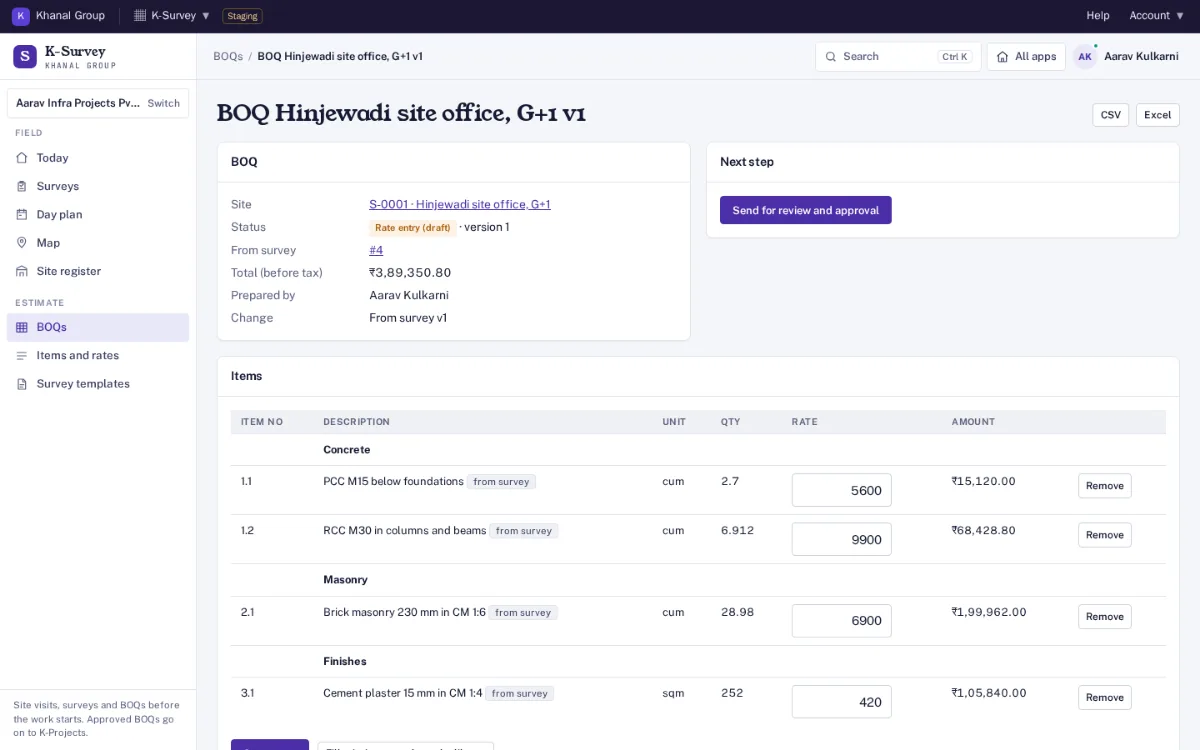
Measured items arrive with net quantities and library rates; the estimator enters the rest and sends it for approval. Approved versions are locked; after an amendment the BOQ shows what changed and you pick what to apply.
Pre-execution checklist
Twenty items per site for permits, drawings received, handover readiness, temporary works and utility connections, with references and due dates. The site is ready for execution only when all are done or not needed.
Printable report
An A4 report with photos, measurements, observations, the signature, GPS and version. It needs a sign-in; there are no public links.
Roles and audit trail
Organisation admin, survey manager, estimator, surveyor and viewer. Surveyors see only the surveys assigned to them. Every change is written to an audit log linked as a hash chain.
What it does not do
No tracking between check-in and check-out, no map tiles from outside services, and no execution work: daily progress, bills and materials are in K-Projects.
Data handling. Each company is a separate organisation; one organisation can never see another's sites, surveys or BOQs. Records are kept in a database on Khanal Group servers in India, with the client's signature on an acknowledgement. Photos, sketches and drawings are kept only in your organisation's own Google Drive or OneDrive, through
connected storage; until it is connected, uploads are refused. GPS positions are taken only at check-in, check-out and when a photo is added; location data embedded in photo files is removed before storing. The client's mobile number is never written to the audit trail or sent to another app.
Both plans have the site register, surveys with GPS check-in, checklists, photos and measurements, the client acknowledgement, BOQ with rates and approval, and the links from K-CRM and into K-Projects. Nothing is sold on top of a plan. Founding price with the code FOUNDING26 for the first 12 months, for organisations that sign up by 31 March 2027 (first 50 per product); then 75% of list in months 13 to 24, then list. Yearly = 10 × monthly, for 12 months. Prices exclude GST. Trial: 14 days, with 25 team members, 100 site surveys a year; no card needed. Payments open at launch; start a free trial now. All apps, bundles and the offer: pricing.
Who is it for?
Contractors, builders, interior, MEP, solar and road companies that visit a site before quoting or starting work: survey managers who plan and review visits, surveyors and site engineers on the phone, and estimators or quantity surveyors who turn the measurements into a BOQ.
How is the GPS position used?
Only when the surveyor presses Check in or Check out, and the phone asks before sharing it. The position is stored with its accuracy on the visit and is flagged when it is missing, inaccurate or more than 500 m from the site’s pin. It is what the phone reports, so it is a deterrent, not proof. Nothing is tracked in between.
What happens to the location inside photos?
Photos are resized on the phone and their embedded data (EXIF and XMP, including any location) is removed before they are stored, so downloads and printouts carry none. The position the phone sent with the photo and the time are kept with the survey.
Does it work without mobile network?
Yes. Open the survey before you leave. Check-in and check-out, checklist answers, measurement rows, observations and photos saved with no signal are kept on the phone and sent by themselves when the connection returns. Items older than 7 days are not accepted.
What does the client sign?
Optionally, the client gives their name and mobile number, ticks a statement that the visit took place and the observations were recorded, and signs on the phone. It is not acceptance of a price. The mobile number is never written to the audit trail or sent to another app.
How is the BOQ made?
From a submitted survey: measured items arrive with their net quantities (deductions subtracted) and the rate from your item library. An estimator enters the missing rates and sends it for approval; a manager approves it or returns it with a note. Approved versions are locked; a revision makes a new version.
How does it connect to K-CRM and K-Projects?
A salesperson presses Request site survey on a K-CRM lead or deal; you check the details in K-Survey and confirm, and K-CRM shows the survey’s status. An approved BOQ is sent to K-Projects as a new project or added to an existing one, with the site facts in its notes. Each hand-off is signed and shown for review before anything is created. Without K-Projects, export the BOQ as CSV or Excel in the format K-Projects imports.
How do I sign in?
With your Khanal ID, the same sign-in used for every Khanal Group app. On a phone, use "Add to home screen" from the browser menu.
How much does it cost?
At the Founding price: Standard ₹749 a month (list ₹1,499), Business ₹2,499 a month (list ₹4,999). Yearly is 10 × monthly. Prices exclude GST. Trial: 14 days, with 25 team members, 100 site surveys a year; no card needed. After the trial everything stays readable.