Indian companies with office, site or field staff: HR and admin teams who keep the records, managers who approve leave and missed punches, and employees who check in from their phone.
Screens from Aarav Infra Projects, one of our demo companies, on our staging server. Every name, number and email address in them is made up.
Employee records
Code, name, designation, department, reporting line, joining date, work location and state, emergency contact and documents. Onboarding checklist, exit with notice period and clearance, and an invitation to sign in with Khanal ID.
Attendance with location
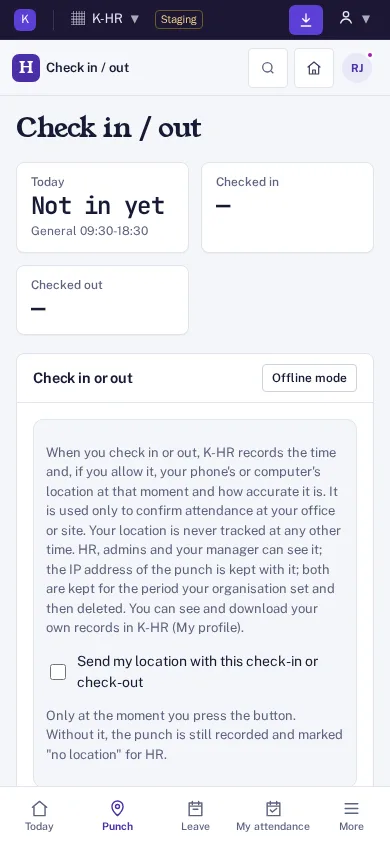
Check in and check out from a phone or a computer. The location is read only at that moment, and only when the employee ticks the consent box; nothing is tracked during the day.
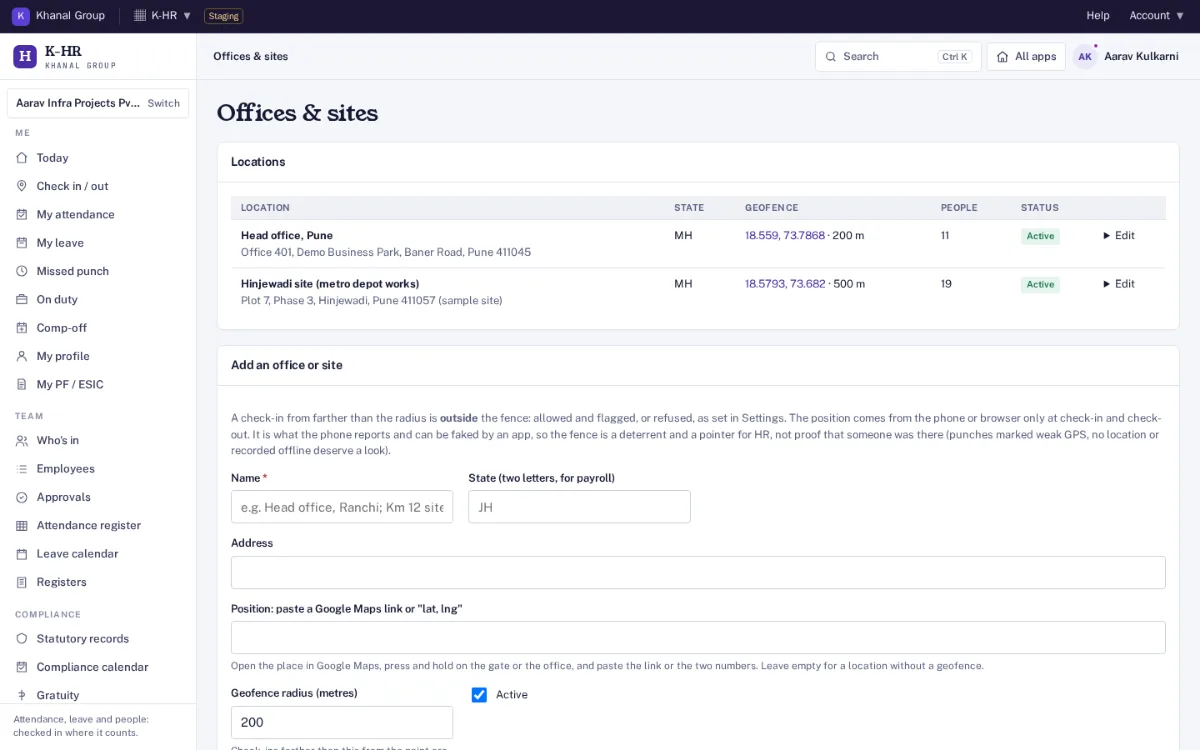
Offices and geofences
Each office or site has a location and a radius. A punch outside it is flagged for HR, or refused if you choose. The position comes from the phone and can be faked, so the fence is a pointer for HR, not proof.
Works without network
A check-in pressed with no signal is kept on the phone with the time it was pressed and sent when the connection returns (up to 7 days old). Sending it twice records it once.
Shifts and holidays
Day and night shifts with grace minutes, half-day and absent rules, weekly offs, overtime after the shift, and holiday lists per location, including optional (restricted) holidays.
Missed punches
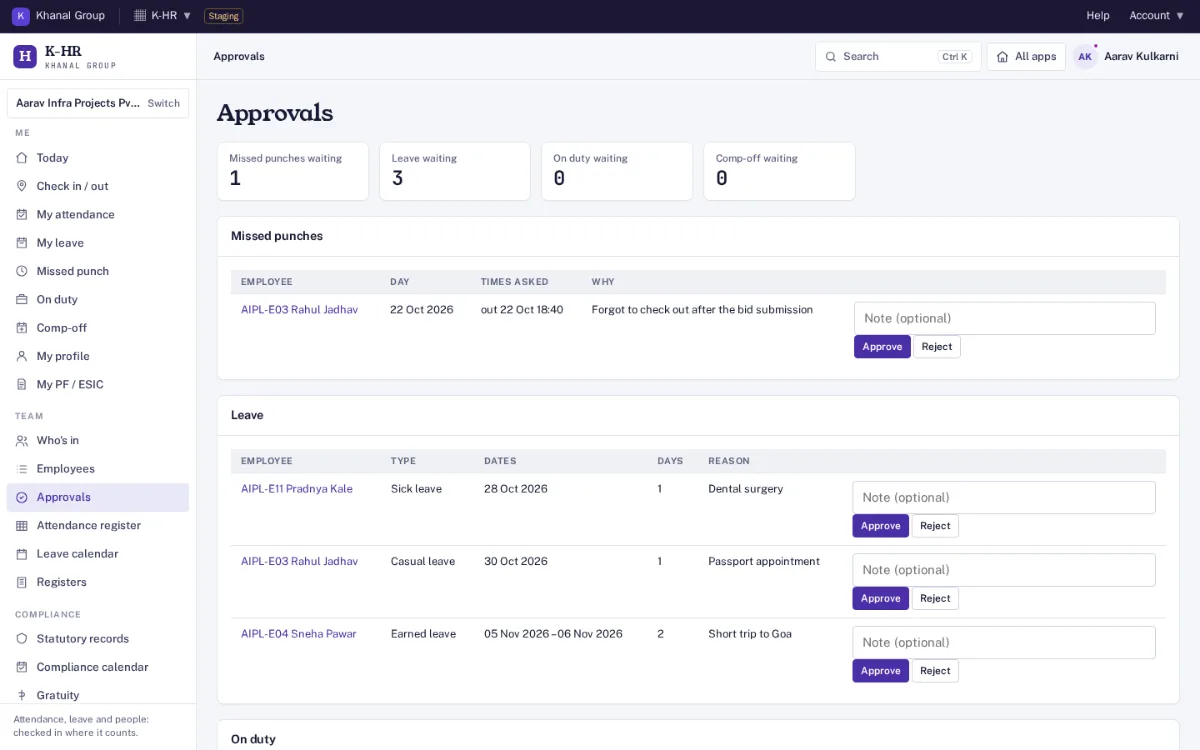
An employee asks for a missed check-in or check-out within 60 days; the manager or HR approves it, and the register updates. Nobody approves their own request.
Leave
CL, EL or PL, SL, comp-off, maternity, paternity, bereavement, restricted holiday, short leave, leave without pay and work from home as editable templates. Monthly or yearly credit, pro-rata on joining, carry-forward caps, half days, sandwich rule and minimum notice.
Approvals and today board
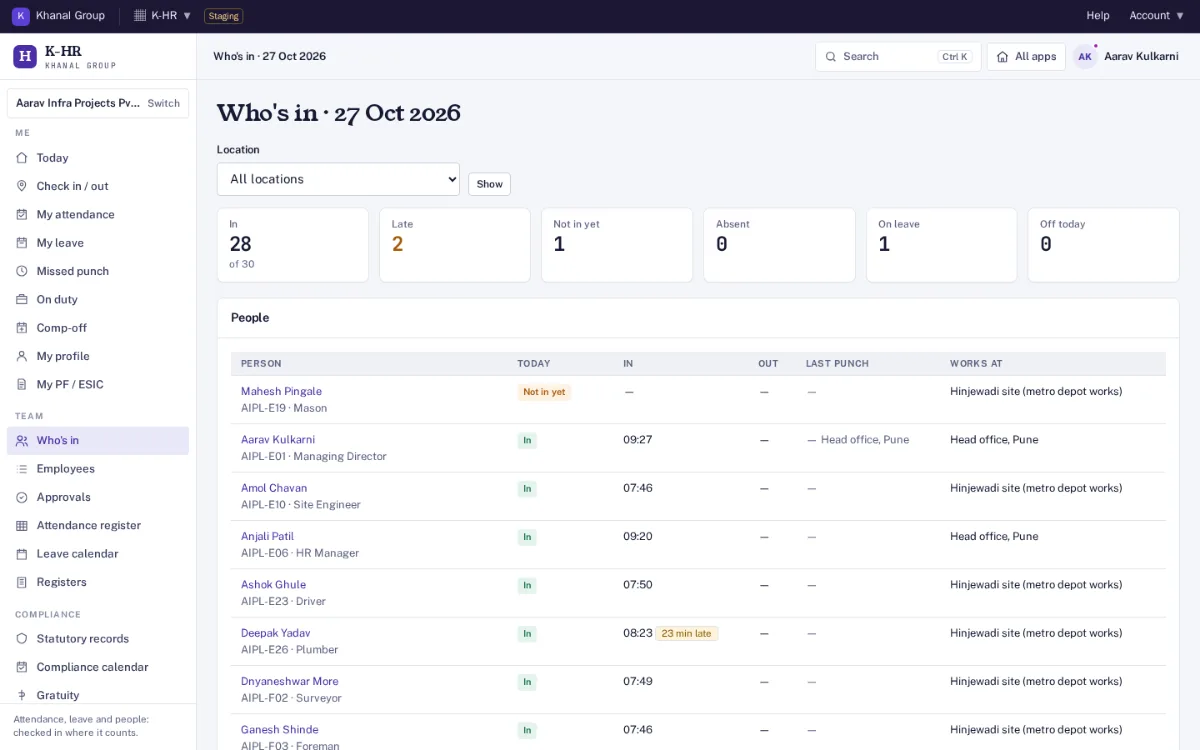
Managers see their own team (direct and indirect), approve leave and missed punches, and see who is in, late, not in yet, absent, on leave or off today, by location.
Statutory records
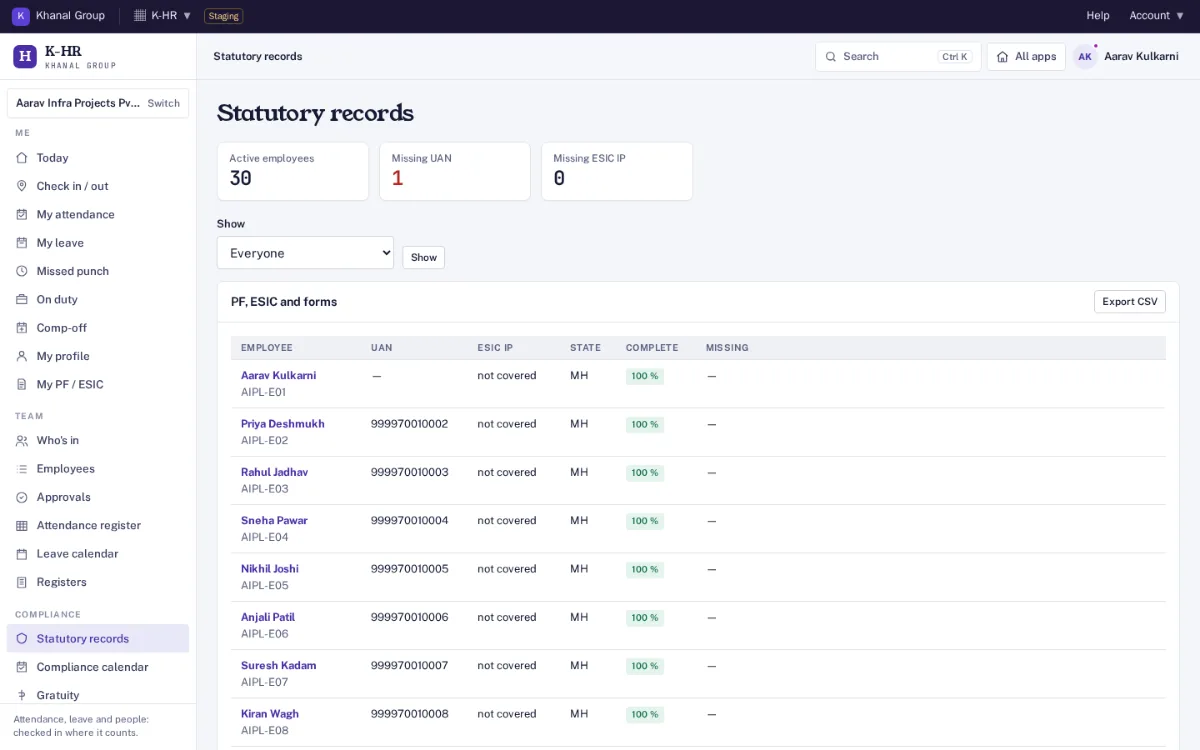
UAN, PF membership or exclusion, EPS as decided by HR, ESIC IP number and dispensary, PT and LWF state, Form 11, Form 2, Form 1 and Form F, and nominations with shares that must add up to 100%.
Compliance calendar
Due dates for the financial year: PF ECR and ESIC by the 15th, PT and LWF by state, bonus, gratuity, shops and establishment renewal, POSH annual report and Form 16, each with an owner and filed status. Check against your state’s current rules.
Gratuity tracker
Years of service and when an employee reaches five years, as a hint for HR. The gratuity amount itself is worked out in K-Finance.
Registers and downloads
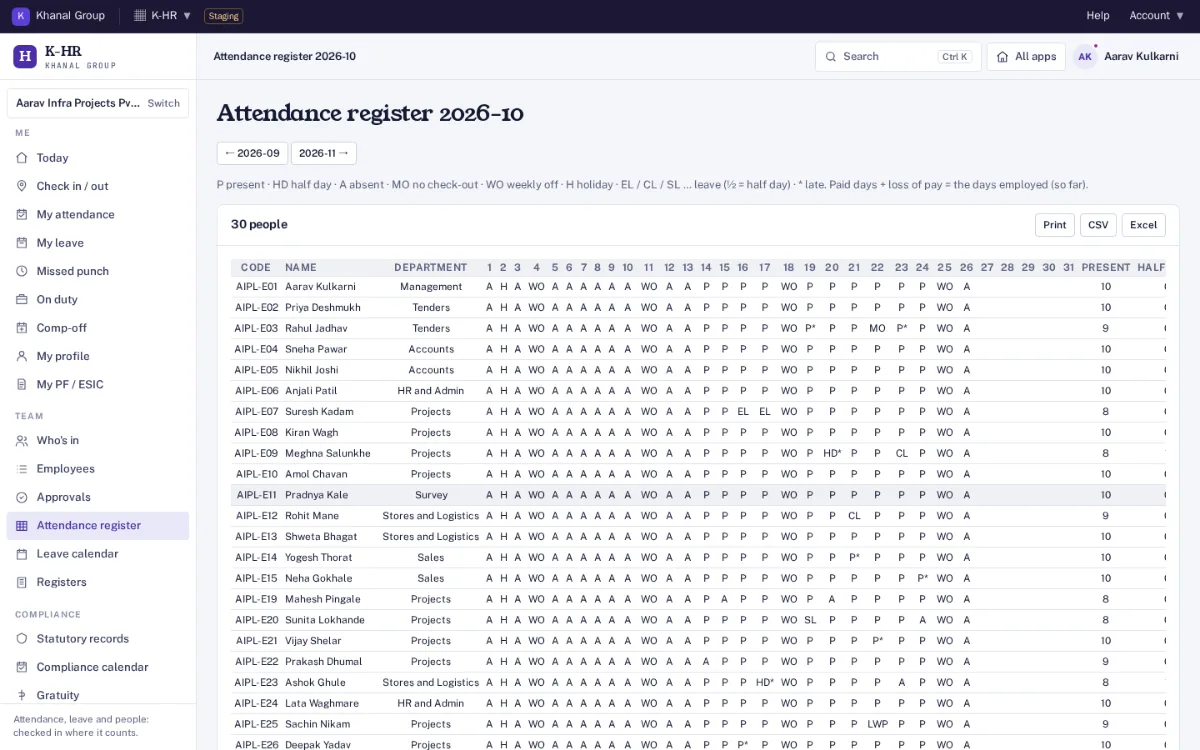
Muster roll (attendance register), leave register by type and year, and overtime hours, on screen, in print, CSV and Excel.
POSH committee
Internal Committee members and a confidential case log, seen only by HR managers, admins and current committee members. Every view is logged and no case ever leaves K-HR.
Linked to K-Finance payroll
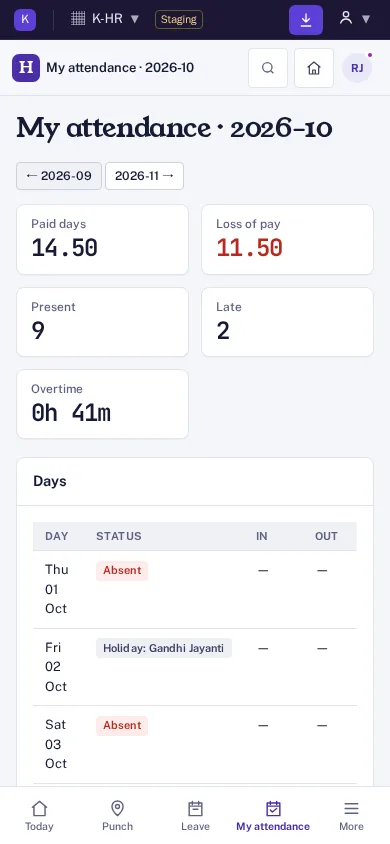
Once linked, the month’s paid days, loss-of-pay days, leave and overtime hours, new employees, statutory identifiers and exits go to K-Finance payroll for review. K-Finance works out PF, ESI, PT, LWF, bonus, gratuity and the pay.
Roles and audit trail
Organisation admin, HR manager, manager and employee. Employees see only themselves and can download everything held about them. Every change is written to an audit log linked as a hash chain.
What it does not do
No salary, PAN or bank details and no money calculations: those stay in K-Finance payroll. No selfie at check-in, no tracking between punches and no biometric device connection.
Data handling. Each company is a separate organisation; one organisation can never see another's employees, attendance or leave. Records are kept in a database on Khanal Group servers in India. Documents are kept only in your organisation's own Google Drive or OneDrive, through
connected storage; until it is connected, uploads are refused. Location is read only at check-in and check-out with the employee's consent and deleted after 13 months by default. Only the last four digits of Aadhaar are kept. Salary, PAN and bank details stay in K-Finance payroll.
Every plan has employee records, attendance with location, leave, statutory records (PF, ESIC, PT, LWF, gratuity) and the link to K-Finance payroll. Nothing is sold on top of a plan. Founding price with the code FOUNDING26 for the first 12 months, for organisations that sign up by 31 March 2027 (first 50 per product); then 75% of list in months 13 to 24, then list. Yearly = 10 × monthly, for 12 months. Prices exclude GST. Trial: 14 days, with 25 team members, 50 employee records; no card needed. Payments open at launch; start a free trial now. All apps, bundles and the offer: pricing.
Who is it for?
Indian companies with office, site or field staff that want employee records, attendance, leave and the statutory records in one place, ready for payroll: HR and admin teams, managers who approve leave, and employees who check in from a phone.
How is the location used?
Only at the moment someone presses Check in or Check out, and only when they tick the consent box shown above the buttons. Nothing is tracked between punches. Positions are kept for 13 months by default and then deleted; the time of the punch stays as the attendance record. The position is what the phone reports and can be faked, so an office geofence flags or refuses punches outside it for HR to check.
Does it work without mobile network?
Yes. A check-in or check-out pressed with no signal is kept on the phone with the time it was pressed and sent when the connection returns. A punch more than 7 days old or more than 5 minutes in the future is not accepted.
Does it calculate salary, PF or ESIC?
No. K-HR keeps the HR-side records: UAN, ESIC IP number, membership, PT and LWF state, forms and nominations, and the day counts. K-Finance payroll holds salary, PAN and bank details and works out PF, ESI, PT, LWF, bonus, gratuity and the pay.
How does it connect to K-Finance payroll?
An admin pastes a link token made in K-Finance under Settings. Employees come across from payroll, and each month’s attendance and leave totals, new employees, statutory identifiers and exits go to K-Finance’s review queue. Nothing reaches payroll until a person there accepts it.
Which leave types are there?
Built-in templates for CL, EL or PL, SL, comp-off, maternity, paternity, bereavement, restricted holiday, short leave, leave without pay and work from home. Every rule can be changed for your company; check them against your state’s Shops and Establishments Act and your policy.
What about Aadhaar and ID proofs?
Only the last four digits of Aadhaar are stored. ID proofs are kept only in your organisation's own Google Drive or OneDrive (folder 09 - K-HR, marked restricted); K-HR opens them only for HR managers, admins or the employee, and every opening is logged. Managers never see documents.
How do I sign in?
With your Khanal ID, the same sign-in used for every Khanal Group app. On a phone, use "Add to home screen" from the browser menu.
How much does it cost?
At the Founding price: Starter ₹499 a month (list ₹999), Standard ₹1,249 a month (list ₹2,499), Business ₹3,499 a month (list ₹6,999). Yearly is 10 × monthly. Prices exclude GST. Trial: 14 days, with 25 team members, 50 employee records; no card needed. After the trial everything stays readable.